Users
The Users tab allows management of players from a summary view.

Summary fields include username, name, online status, real money balance in base currency, bonus money balance in base currency, last deposit date, country of registration, tags and account status from the below list.
- REGISTRATION_NOT_COMPLETE
- ACTIVE_NOT_VERIFIED
- ACTIVE
- SUSPENDED
- SELF_EXCLUDED
- CLOSED
Sorting & Filtering
Column Ordering
Each column can be dragged to the required postition to aid in player analysis.

Column Sorting
Each column can be sorted in ascending or descending order.

Column Filtering
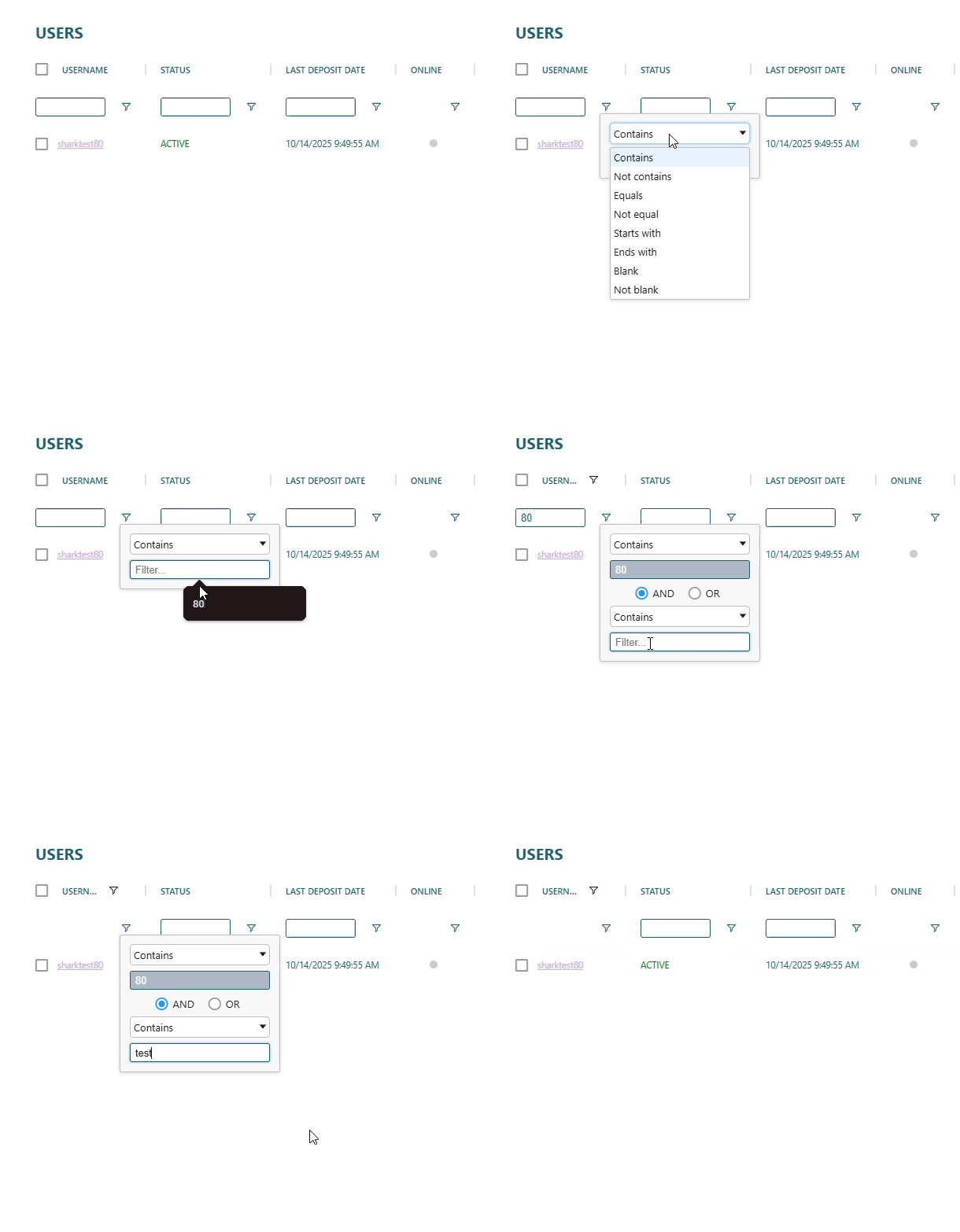
The relevant columns can be flitered using a list of conditions and combined with AND/OR to create complex queries including multiple columns.
Use the 'Export to Excel' button to export your filtered selection.
Actions
User Actions
Depending on your service selections there are various user actions available.
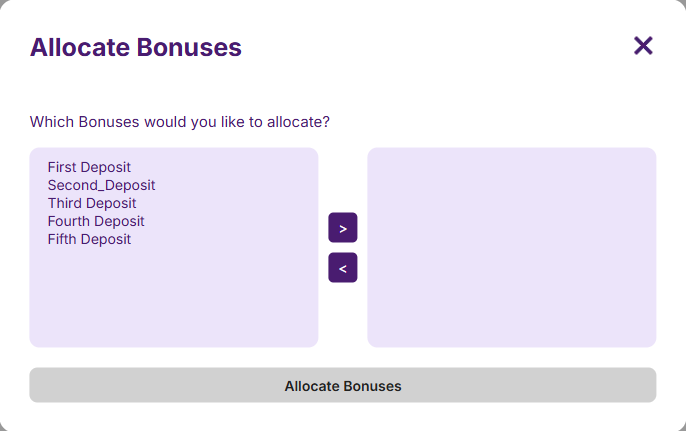
If you have taken our third party integrated CRM as part of your service there will be no 'Allocate Bonuses' button. Otherwise you will see the button allowing you to allocate bonuses to a segment of users at once.

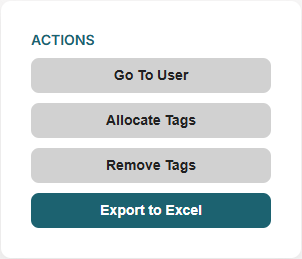
When selecting a user, or segment of users, via the checkbox the available actions will be highlighted.

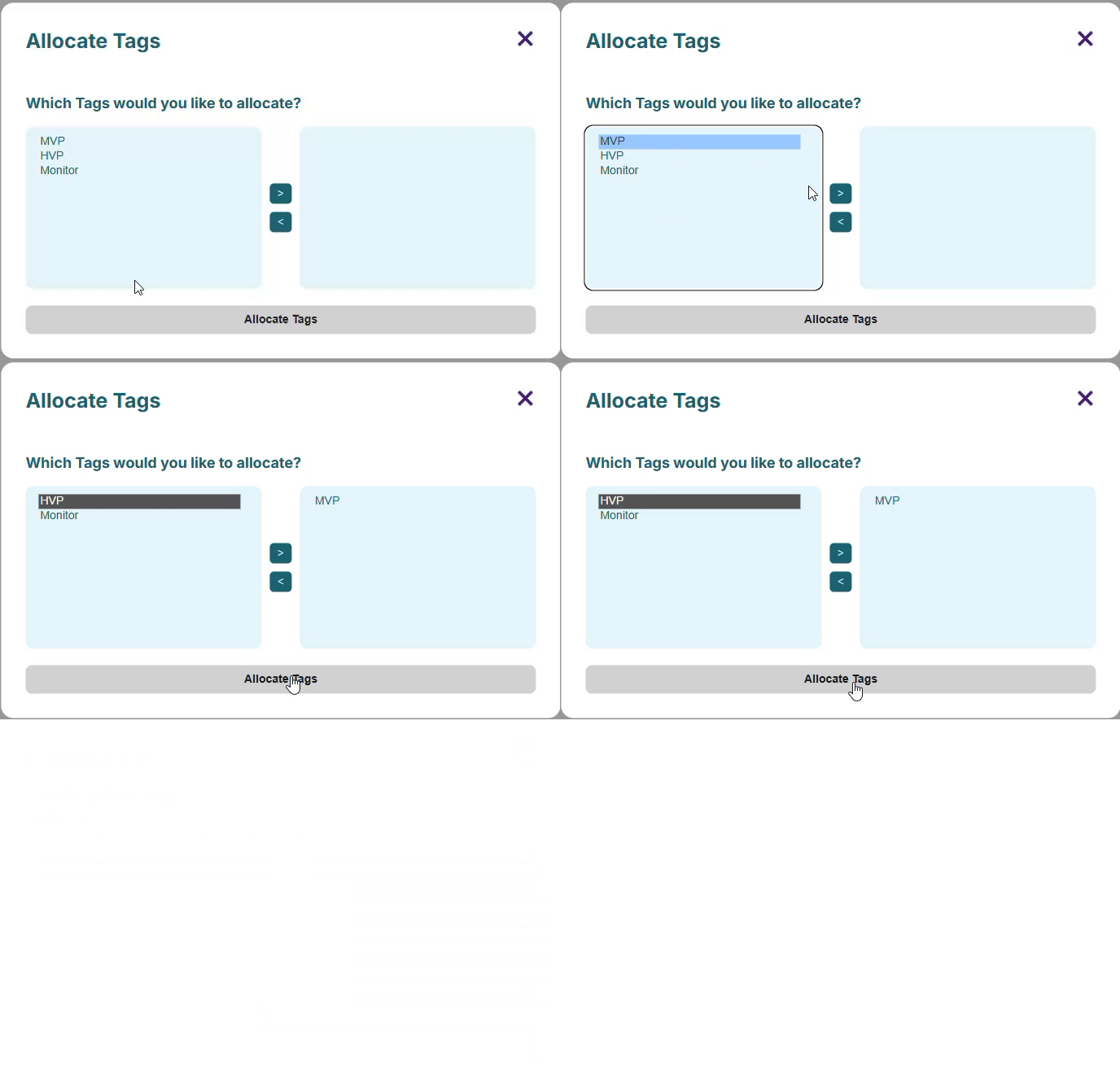
Allocate/Removed Tags
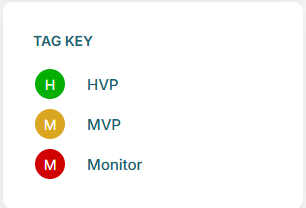
Various tags can be allocated to a player.
Please contact your integration team if you would like these expanding.
Allocate Bonuses
Depending on your configuration, instantly claimable, deposit matched and free play bonuses can be allocated to a player.
Bonuses are all fully configurable in the 'Bonuses' tab.
Total number of players registered can be viewed in this tile.
By clicking on a user or 'Go To User' you will be taken to a detailed view for that user.